
Illustrative case study · Simulated fleet
A harbor tour, from the office plan to captain acceptance
Osprey has a booking and a captain, but no dispatched route. The office can prepare the plan while leaving the decision to accept and depart with the captain.
Harborline Charters is fictional. This walkthrough uses the actual PATHR dashboard with simulated boats, readings and outcomes. No customer results are claimed.
By the Pathr Fleet team · · 4 min read
- Operation
- Harborline Charters · Fictional operator
- Vessel
- Osprey · 22 ft harbor-tour boat
- Focus
- Charter dispatch
The situation
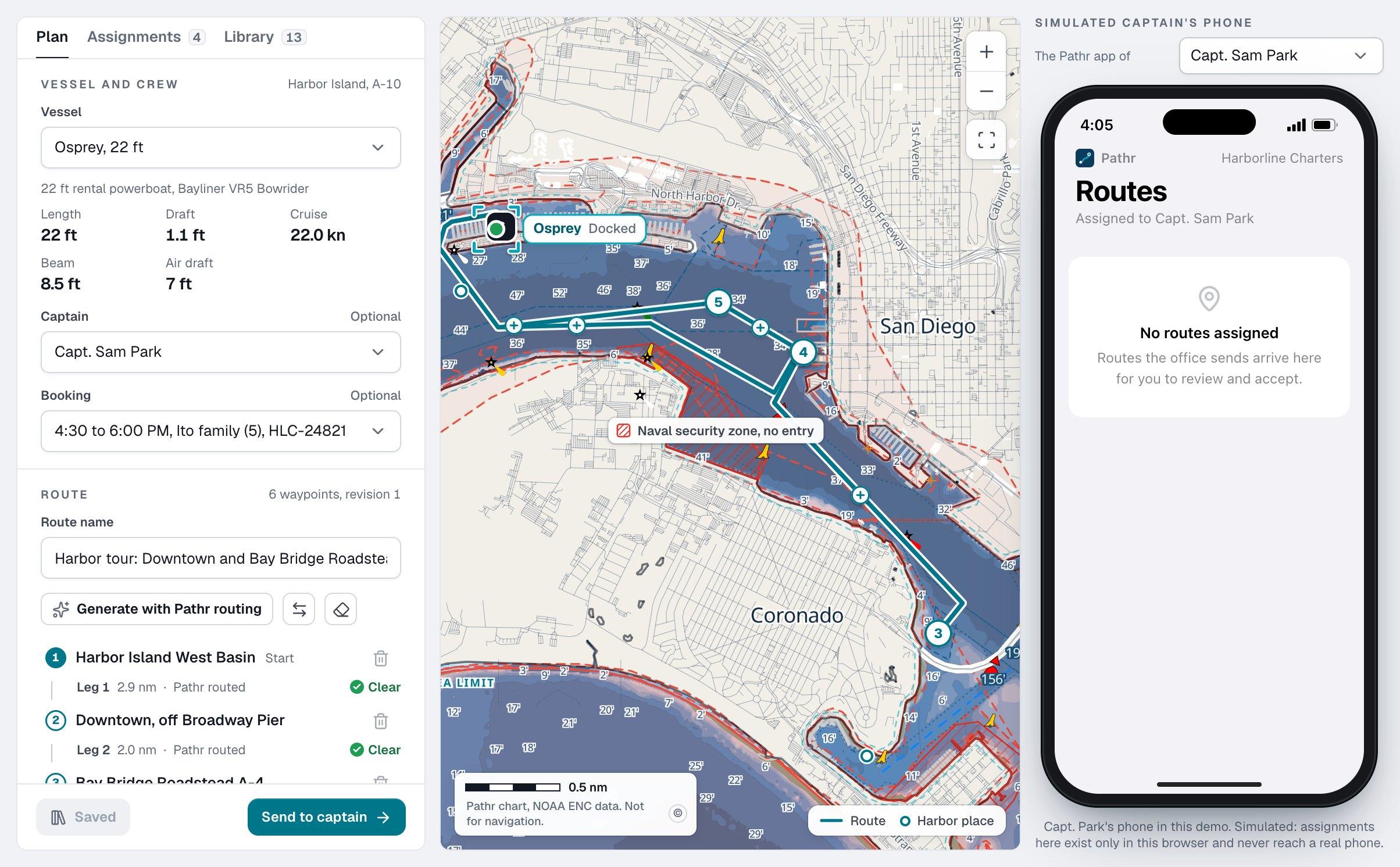
The dispatch scene in the public PATHR Fleet demo opens at 4:05 PM, San Diego local time. Fictional operator Harborline Charters has Osprey at its berth for a 4:30 to 6:00 PM harbor tour. Capt. Sam Park is assigned, but no route has been sent for the tour.
Both sides of the interaction are available in the demo: the office planner and a simulated captain’s phone. They show the real dashboard workflow with invented people, bookings and vessel movement. The phone does not contact a real captain; the captain’s screen in the PATHR app is part of the pilot rollout.
The decision
How can an office share a checked route and follow the trip while keeping acceptance and departure as the captain’s decisions?
Work through the decision
Check the plan against its actual assignment
Choose Osprey, the harbor-tour booking and its listed captain. Open a compatible route from the library or prepare a plan on the chart. Review the route checks, duration and notes in the context of this boat and booking. A route that exists in a library is not automatically appropriate for every vessel or departure.
Check vessel and captain commitments before sending. Incompatible overlapping work cannot simply be assigned twice. Chart checks support planning, while weather, traffic, local restrictions and conditions still require the captain’s judgment.
Treat delivery and acceptance as separate states
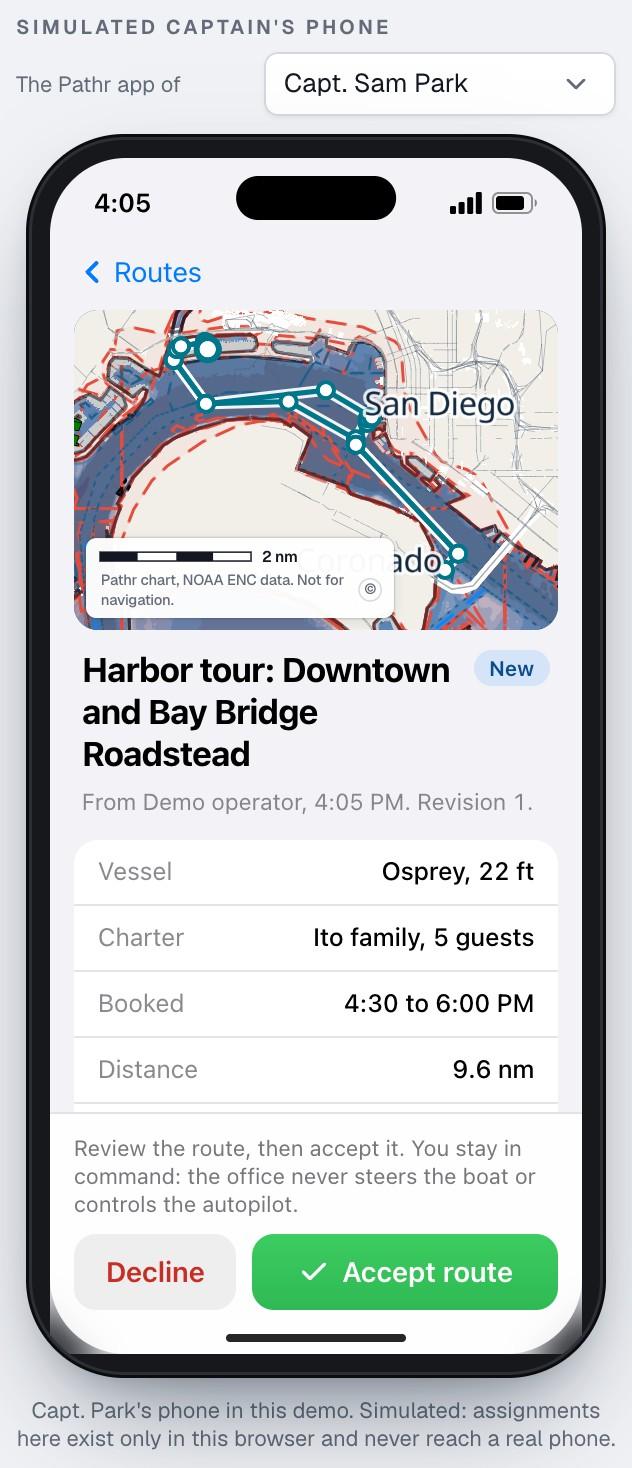
Send the plan with notes the captain can review. The office can inspect assignment delivery and review states, but sent, delivered or seen does not mean accepted. Open Capt. Park’s simulated phone to read the same route and choose Accept or Decline.
Acceptance records approval of that route revision. It does not start navigation or move the vessel. Starting an accepted route is a separate captain action. If a revised plan is proposed later, the previously accepted revision stays active until the captain accepts the update.
Follow progress without turning dispatch into control
After the simulated captain starts navigation, let the demo clock run. Osprey follows the accepted route and the office can inspect progress, ETA and the planned route beside the actual track. The scene may include waiting alongside for basin traffic; starting navigation and clearing the marina are different events.
Read progress together with report age. A track point is evidence of a measured position at its observation time, rather than proof of the vessel’s location now. An off-route warning identifies a deviation to assess; it cannot explain the captain’s reason by itself. Dispatch does not steer the boat or operate its autopilot.
What this example demonstrates
The visitor can see a plan become a pending assignment, receive a captain response and then progress to navigation. Those states appear in the office and simulated phone views. The example demonstrates a shared record of which plan was accepted and when navigation began.
Without a visitor dispatch, the seeded demo captain follows a standard tour instead. This walkthrough explores the review, revision and acceptance records created by a visitor-dispatched plan. Guided practice uses a separate Friday training fleet, and the Saturday challenge introduces its own decisions and constraints.
What to measure in a real pilot
Use this example to frame an evaluation with your team. A real pilot needs your boats, equipment, connectivity and operating procedure before any operational benefit can be measured.
- Compare assignment delivery, review, acceptance and navigation timestamps with captain observations and coverage conditions.
- Check that the office and captain identify the same accepted revision after an update or reconnect.
- Review ETA differences and off-route events with their actual causes before drawing conclusions about dispatch performance.
Read the current product and hardware status before planning a rollout.
Want to evaluate this workflow with your fleet?