For boat clubs
Boat club fleet management: every outing, every engine hour.
Members take the boats out; Pathr Fleet keeps an eye on them. See every club boat on the Pathr nautical chart, know when an outing runs late, and track engine hours, fuel and battery from the boat itself, so maintenance happens before the next member's reservation.
The demo runs a simulated fleet in your browser. No account needed.

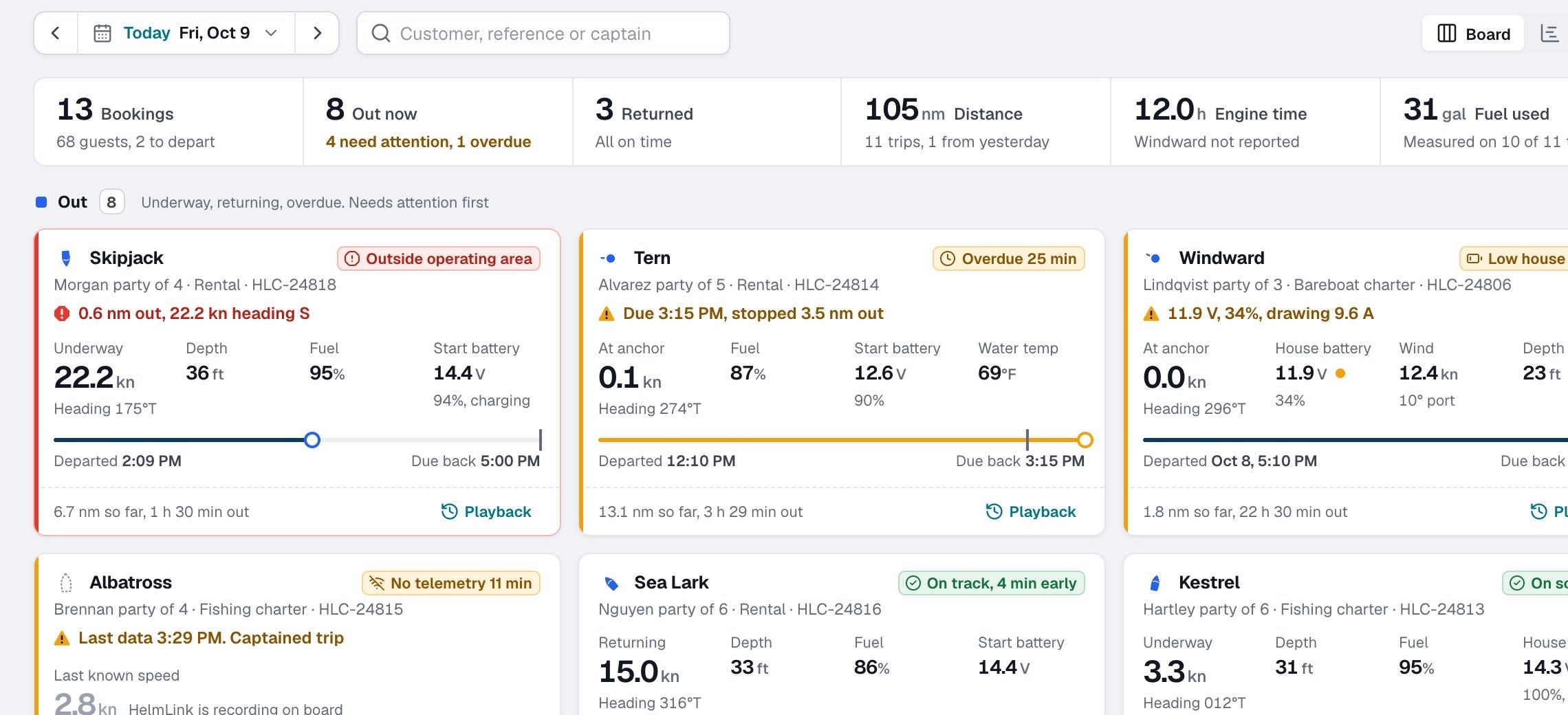
Know when an outing runs late
When a boat is still out after its return time, Pathr Fleet marks it overdue with how late it is and how far from the dock, and escalates if it stays out. The next member waiting on the dock is not the first to find out.
The trips board puts every outing on one screen, the ones that need attention first.
Review an outing after the member is back
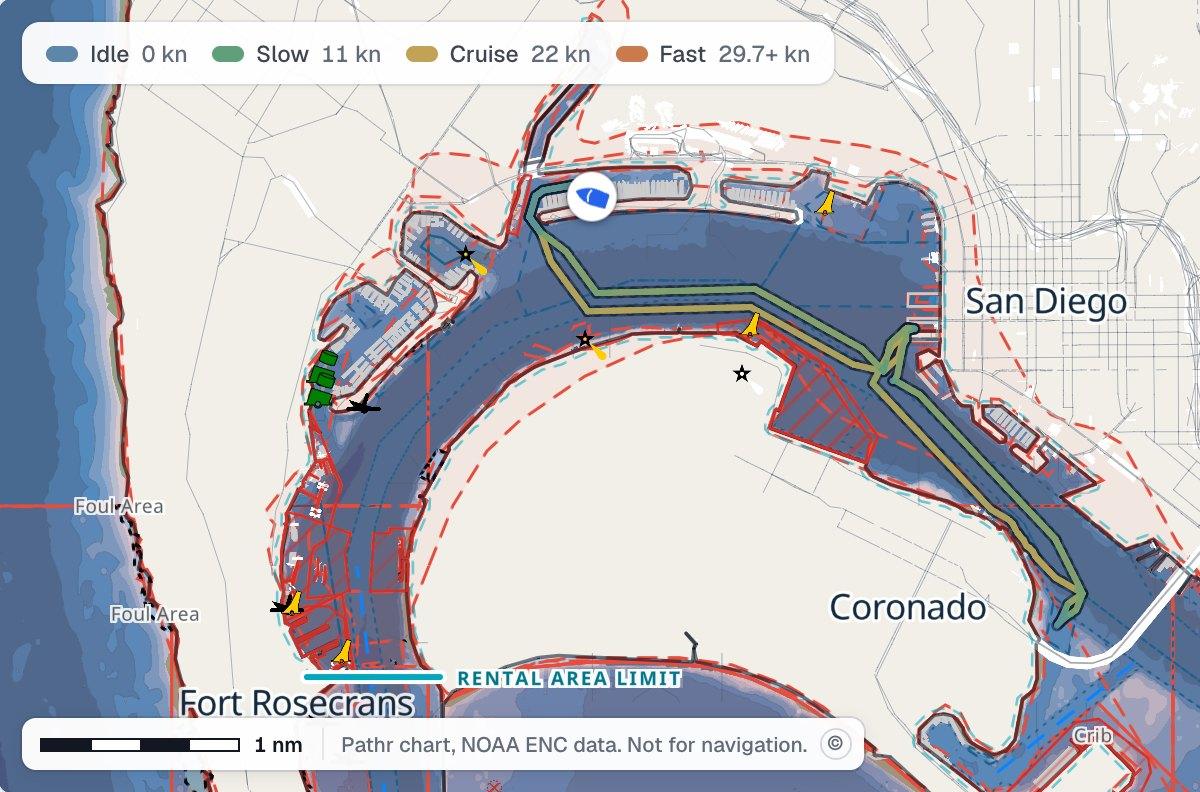
Every outing keeps its track with speed, engine and fuel, and any alert it raised. When a boat comes back with a damaged prop or an empty tank, the record shows where it went and how it was run.
Engine hours and service, counted for you
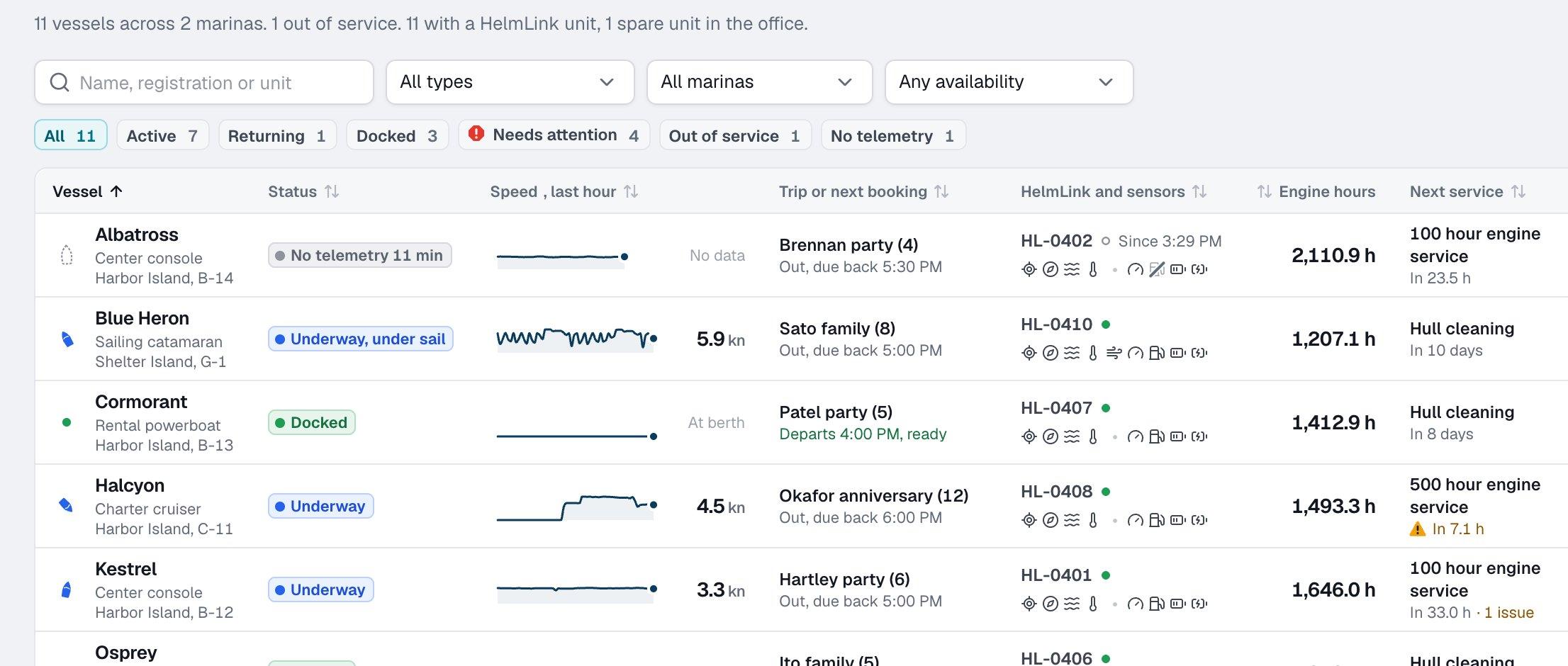
HelmLink reads engine hours from the boat's own network, so service intervals count down without anyone writing hours in a log. The fleet table shows every boat's hours and the next service due. Readings outside configured thresholds can raise an alert for staff review; they do not predict or guarantee prevention of a breakdown.
Problems fixed before the next reservation
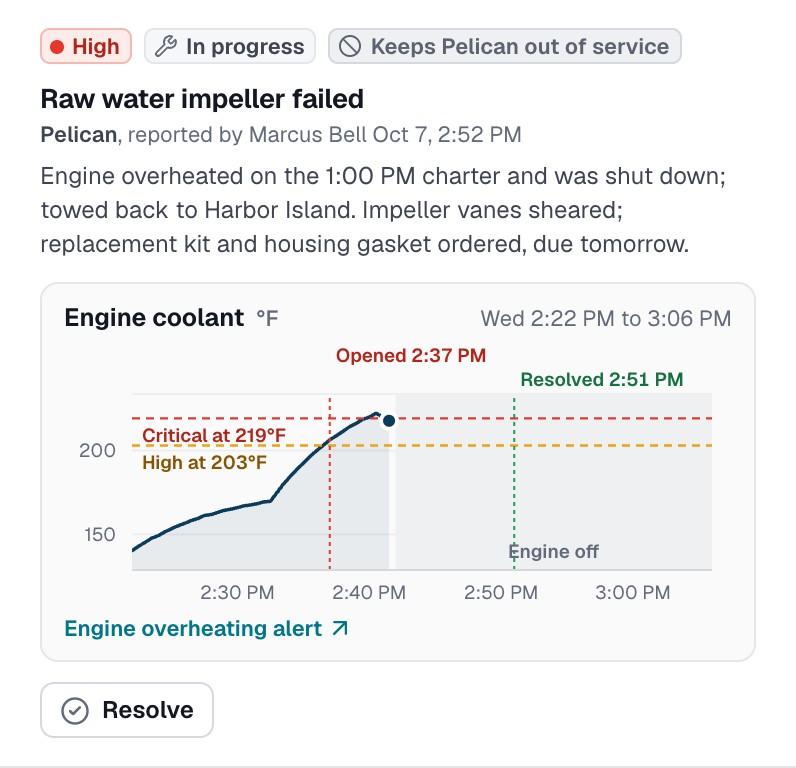
Record defects and decide which require an explicit out-of-service hold. In the demo, that hold keeps the boat off new bookings; other work can remain open while staff manage availability.
Plan the workflow
Practical guides for your dock team.
Use these procedures and checklists to discuss how the dashboard fits your operation. Then try a guided task with a simulated fleet.
- MaintenanceBoat fleet maintenance checklist: check-out, return and handoverA practical boat fleet maintenance checklist for check-out, return inspections, defect triage, service scheduling and the handover to the next dock team.Read the guide
- MaintenanceEngine hours tracking for rental and charter fleetsWhy engine hours drive boat maintenance, why logbooks drift, and how to read hours straight from the engine over NMEA 2000.Read the guide
- OperationsWhen a rental boat is overdue: a step-by-step procedure for the dockAn overdue boat rental procedure with position-age checks, contact and escalation steps, a reusable shift handover template and guided dashboard practice.Read the guide
Learn the controls with guided practice.
Practice has no timer and walks you through the actual dashboard. Survive Saturday is a separate 90-second challenge when you are ready to put your decisions to the test.
Questions operators ask
- Does it replace our reservation system?
- No. Pathr Fleet watches the boats; your reservation system books them. During the pilot, outings are entered in Pathr Fleet so it knows each return time. Integrations with booking software are planned.
- Do members see the fleet view?
- No. Pathr Fleet is for your staff and managers.
- What goes on the boat?
- HelmLink currently connects to onboard NMEA 2000 networks and reads the available position, engine, fuel and battery data. We want to support a wider range of boat equipment and data sources; pilots help us choose and test what to add next. Tell us about your setup so we can confirm the current fit and what needs testing. Field units upload over Wi-Fi today. Cellular-equipped pilot units are planned; hardware and reporting expectations are agreed before the pilot.
- What happens when a boat stops reporting?
- Every reading shows its age, so a reporting gap is visible rather than appearing to be a current position. Field units upload over Wi-Fi today; cellular-equipped pilot units are planned. We review coverage, reporting intervals and any buffering behavior for the agreed pilot hardware.
- Can Pathr Fleet stop a boat or call for help?
- No. Pathr Fleet supports your team: it shows where boats are and what needs attention. It never controls a boat, never dispatches help on its own, and does not replace required marine safety equipment or emergency services.
- How do we try it?
- We review a 60-day pilot on up to five boats, with HelmLink hardware, fleet workflows and onboarding. Equipment, connectivity and any development are agreed before starting. NMEA 2000 is supported today; broader support and cellular-equipped hardware are part of pilot planning. Pricing is discussed on the call.
Pathr Fleet for other operators
A closer look at your operation
See how PATHR fits your fleet.
Bring the situations your team handles every day. We’ll walk through the dashboard around those workflows and map the equipment, connectivity and setup for your fleet.
We confirm scope, availability and pricing with you.
How it starts
- We reply by email to arrange your fleet walkthrough.
- We review the workflows, onboard equipment and connectivity your operation needs.
- We agree the setup, timing and pricing for bringing PATHR to your fleet.
Bring PATHR to your fleet with a setup planned around your boats, equipment and team.
What we review together
Your operating day
Focus the walkthrough on your boats, handovers and the work that slows your team down.
Equipment compatibility
NMEA 2000 is supported today. Bring your equipment list so we can confirm the connections and readings available for each boat. Additional systems are reviewed individually.
Connectivity review
Field units upload over Wi-Fi today. Cellular-equipped units are planned; we agree coverage and reporting expectations for your operation.
Dashboard workflows
Explore the chart, alerts, manually entered bookings, maintenance and dispatch. The public dashboard uses simulated data; we confirm the workflows available for your deployment.
A practical rollout plan
Agree the boats, supported workflows, equipment and onboarding for your rollout. We plan timing and pricing with you so your team knows how to get started.