Keep the handoff in context
Open condition records from the vessel or rental. Before and after evidence must belong to that same boat and booking.

Boat inspection software
A scrape at return should lead to the before-handoff record, not a search through everyone’s camera roll. Explore a guided boat rental inspection workflow that keeps evidence, staff decisions and follow-up beside the vessel.
Explore the actual dashboard with a simulated fleet. No account needed.
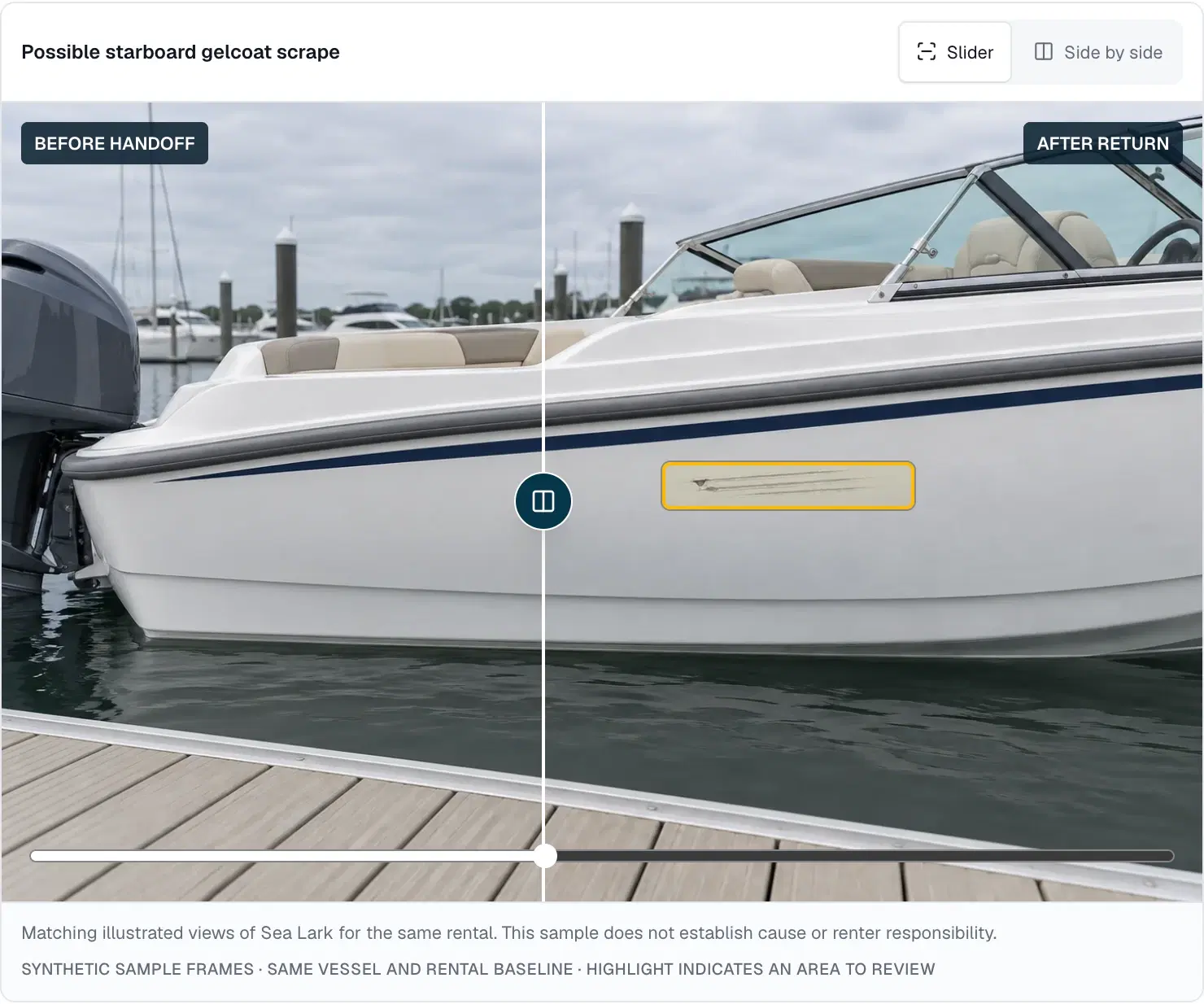
Open condition records from the vessel or rental. Before and after evidence must belong to that same boat and booking.
Confirm a supported change, mark it pre-existing, dismiss it or request clearer coverage. The staff decision remains visible with the record.
A confirmed finding can create a linked maintenance issue, so the next person can return to the evidence behind the job.
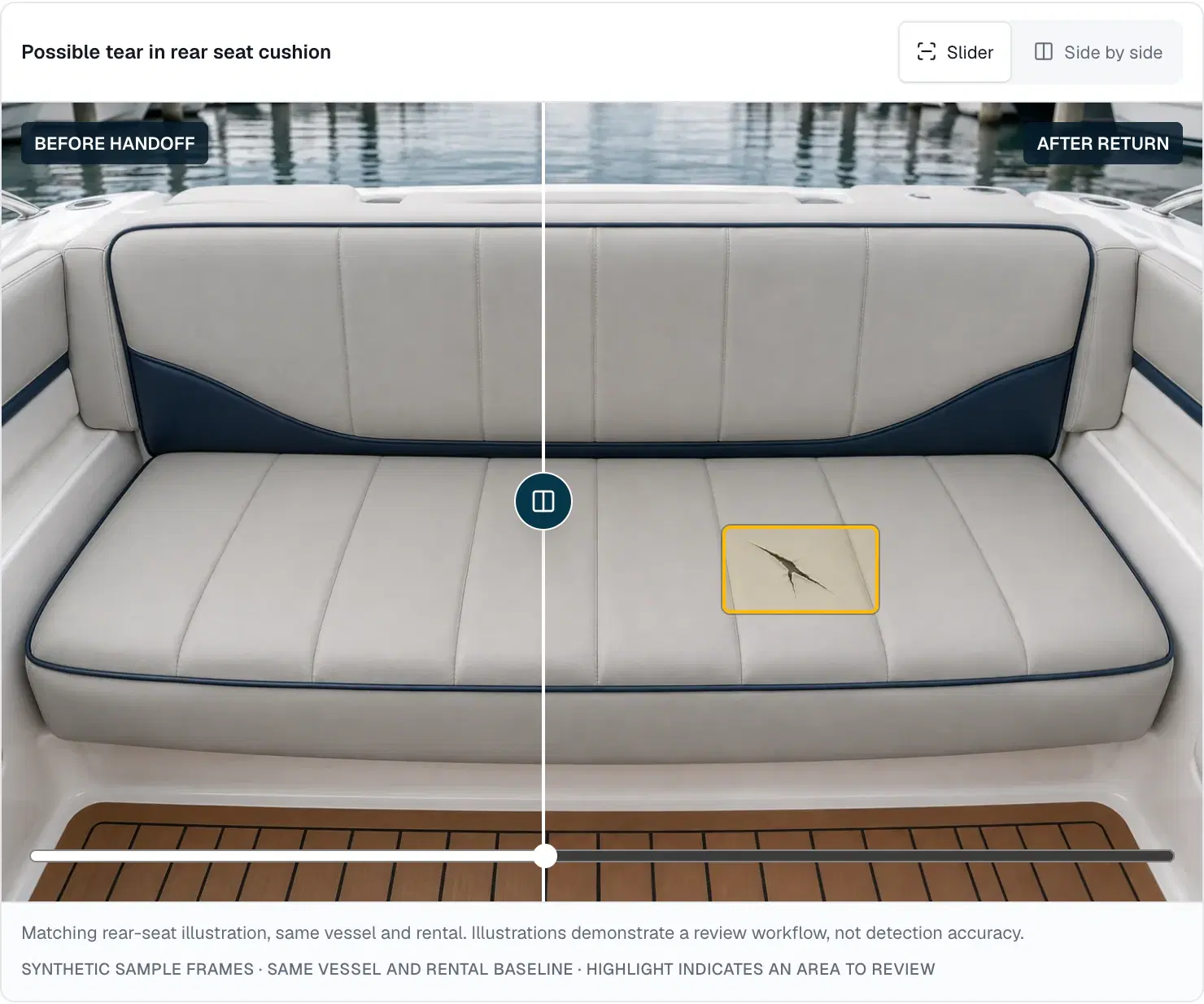
The return team notices a tear in a rear seat. Open the retained before-handoff view of that seat, check its rental and capture time, then compare the corresponding return view. A photo of another boat, another booking or a different surface cannot establish the baseline.
The demo offers saved video or photo sets and shows missing coverage explicitly. A completed historical before record retains its original timestamp; starting a new inspection after the rental cannot rewrite its condition at departure.
A suspected scrape and a confirmed repair are different records. Staff can review evidence, add a note and decide whether more detail is needed. Confirming a finding can create one maintenance issue linked back to its inspection and vessel.
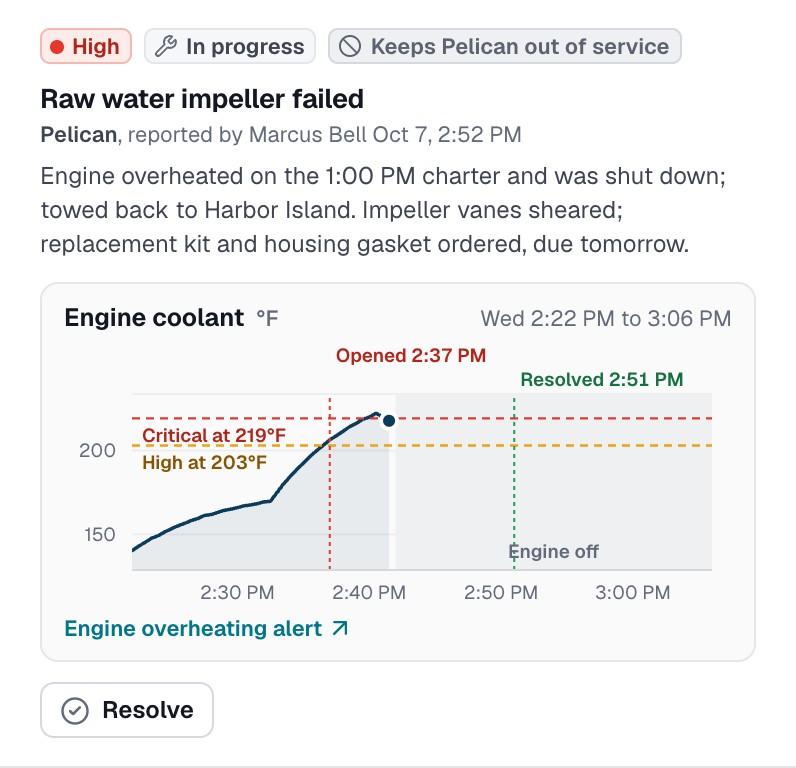
Maintenance status belongs to the work record. Your team still decides whether to place the boat on hold and what must be checked before release. The inspection preview does not assign renter fault, charge a customer or automatically take a boat out of service.
From the screen to your operation
Start from the actual vessel or booking, then select before-handoff, return or staff inspection. The renter preview keeps its vessel fixed.
Walk through the sample video or photos and coverage guidance. Record a concern or missing view rather than assuming it passed.
Compare the retained baseline with the corresponding return evidence. Staff confirms, dismisses, marks pre-existing or requests more detail.
Leave the review note and any linked maintenance with the vessel, ready for the next staff member to inspect.
Before you decide
What you can explore now, where the limits are, and what to discuss with the PATHR team.
The public pilot preview uses saved synthetic videos and photos. Visitors can select those samples and complete the guided workflow, but cannot upload personal media or record through the camera. Secure uploads and real customer invitations remain pilot development work.
Yes in the working demo. A comparison requires the same vessel, rental and organization, with a completed before inspection from before the scheduled departure. A name match or another rental’s photos cannot fill a missing baseline.
No. A visible difference is an observation for staff review. It does not establish when or how a change happened, assign liability or authorize a charge. Staff can also dismiss a reflection or identify a pre-existing mark.
The saved Sea Lark illustrations show its starboard hull and rear seat. They are not complete recorded walkarounds, and the sample coverage guidance does not prove every surface was seen. Propellers, lower units and submerged hull require dedicated checks.
Try the guided demo, then bring your handoff process, vessel types and evidence requirements to a pilot discussion. We agree what is demonstrated now, what needs development and how real-world validation would work before promising a live rollout.
Keep the whole workflow connected
See how saved comparisons surface possible changes for a person to review.
Follow confirmed observations into vessel work and service planning.
A practical guide to departure checks, return records and defect ownership.
Illustrative case study · Simulated fleet. Two maintenance situations require different decisions.
A closer look at your operation
Bring the situations your team handles every day. We’ll walk through the dashboard around those workflows and map the equipment, connectivity and setup for your fleet.
We confirm scope, availability and pricing with you.
How it starts
Bring PATHR to your fleet with a setup planned around your boats, equipment and team.
What we review together
Your operating day
Focus the walkthrough on your boats, handovers and the work that slows your team down.
Equipment compatibility
NMEA 2000 is supported today. Bring your equipment list so we can confirm the connections and readings available for each boat. Additional systems are reviewed individually.
Connectivity review
Field units upload over Wi-Fi today. Cellular-equipped units are planned; we agree coverage and reporting expectations for your operation.
Dashboard workflows
Explore the chart, alerts, manually entered bookings, maintenance and dispatch. The public dashboard uses simulated data; we confirm the workflows available for your deployment.
A practical rollout plan
Agree the boats, supported workflows, equipment and onboarding for your rollout. We plan timing and pricing with you so your team knows how to get started.