Start with available channels
Identify the position source, engine gateways, tanks and battery instruments. Reading NMEA 2000 does not mean every value is present.

Connected vessel monitoring
Knowing where a boat is helps. Seeing its available engine, fuel and battery readings adds context for the team ashore. HelmLink currently reads NMEA 2000 equipment; a useful pilot starts by checking what each boat publishes and how those readings reach the office.
Explore the actual dashboard with a simulated fleet. No account needed.
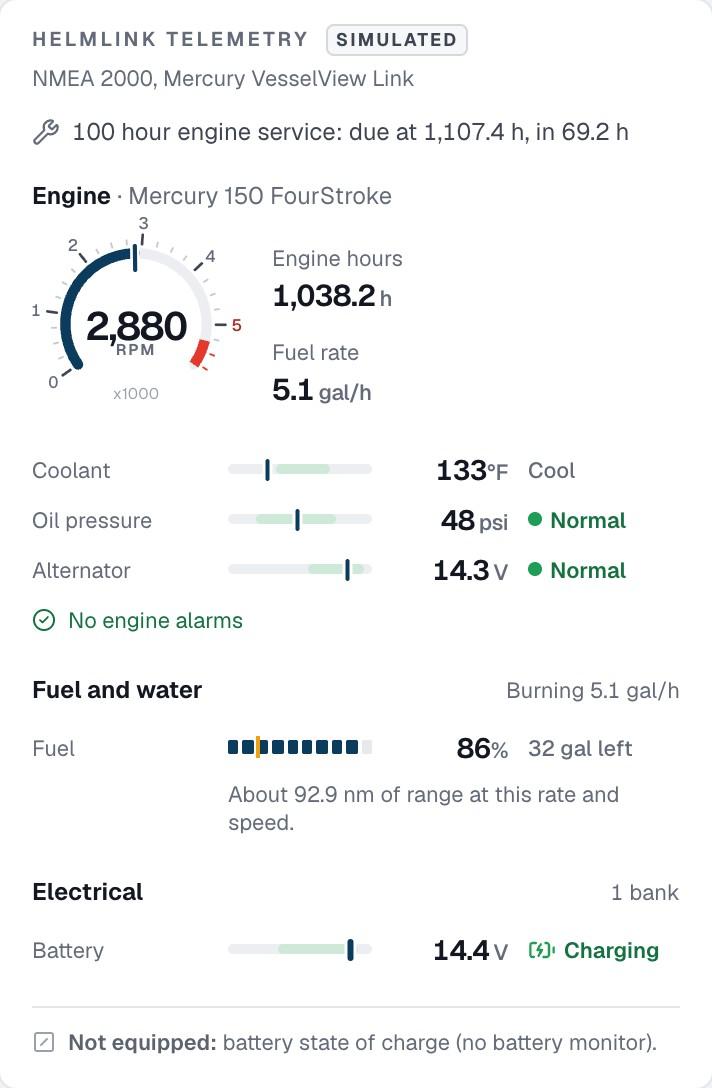
Identify the position source, engine gateways, tanks and battery instruments. Reading NMEA 2000 does not mean every value is present.
Readings show their age. Staff should be able to distinguish an old position, a measured zero and an unavailable channel.
Review equipment, installation responsibilities, coverage and reporting expectations together, including support that still needs testing.
An engine can provide hours, RPM, temperature or fuel rate only when its instruments and gateway publish those values on the network. A battery-voltage reading does not establish that the boat also measures state of charge. Separate engines and banks need identifiable sources.
Use the pilot equipment review to list each engine model, connected gateway and required reading. Confirm the source, units and instance on a representative boat rather than assuming another vessel’s demonstration proves compatibility. The sample dashboard shows how those available readings can sit beside the next service.
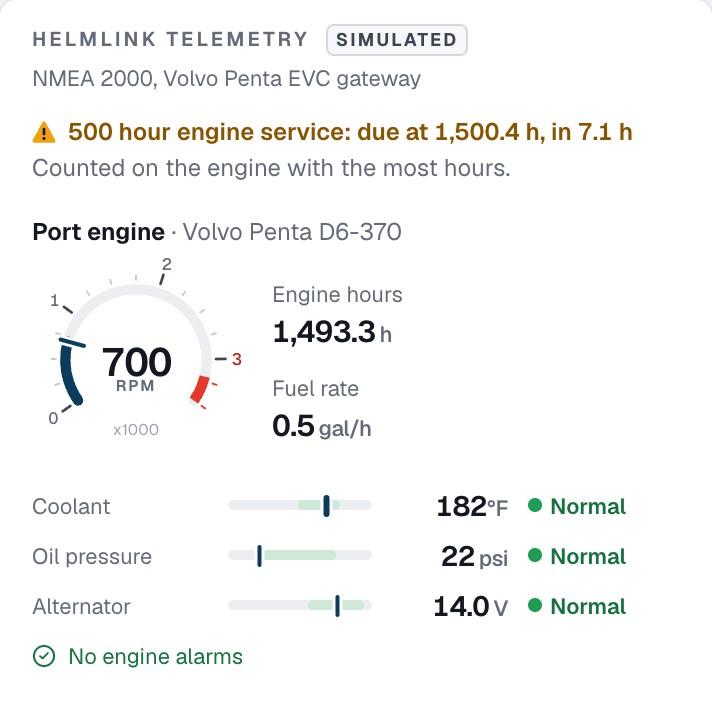
Boat equipment, the HelmLink connection and the path to the office are separate parts of monitoring. Wi-Fi field uploads do not establish continuous tracking away from the dock. Cellular pilot hardware, service coverage and reporting cadence must be agreed and tested for the routes your operation uses.
In the dashboard demo, boat positions appear beside bookings and alerts. In a real evaluation, check the observation time and reporting age before acting on that picture. Test a controlled connection gap and reconnection, and agree what the team should do while a boat is not reporting.

From the screen to your operation
Share boat and engine models, network gateways, position sources and the measurements your team needs. Include equipment not yet supported.
Check each channel, source, unit and engine instance on a representative boat. Identify any extra equipment or development needed.
Define who installs what, how data reaches the office and the coverage and reporting behavior to test. Wi-Fi is the current field connection.
Compare actual observations with dashboard records, including missing channels and connection gaps, before deciding whether to expand the setup.
Before you decide
What you can explore now, where the limits are, and what to discuss with the PATHR team.
HelmLink currently reads NMEA 2000 equipment. Available position, engine, fuel and battery data depend on the devices and gateways aboard each boat. Support for a network does not guarantee every channel or every engine configuration; we review the actual setup before agreeing a pilot.
Tell us what you run. Broader support across onboard equipment and data sources is a product goal, and pilots help prioritize and test it. An unsupported setup may require new development or another arrangement; it is not represented as compatible today.
Field units currently upload over Wi-Fi. Cellular-equipped pilot units are planned for underway reporting. Hardware, connectivity service, coverage and reporting expectations need to be agreed for your operation. The public dashboard is a simulation, not a demonstration of deployed cellular coverage.
Start with an equipment survey: the existing network, position source, engine gateways, desired measurements and connection to shore. Confirm what extra hardware is needed and who is responsible for installation. We do not promise that a unit can be fitted to every boat without changes.
Live Fleet access is planned; the public dashboard uses simulated records. Bookings are entered manually in the demonstrated workflow, and booking-software integrations are planned. A pilot agreement should distinguish available hardware and workflows from development still required.
Keep the whole workflow connected
Connect available engine readings to service intervals and recorded work.
Explore position, due-back time, operating areas and the next staff action.
Evaluate compatibility, connectivity, missing data and installation responsibilities.
Illustrative case study · Simulated fleet. Read the position age before deciding what to do next.
A closer look at your operation
Bring the situations your team handles every day. We’ll walk through the dashboard around those workflows and map the equipment, connectivity and setup for your fleet.
We confirm scope, availability and pricing with you.
How it starts
Bring PATHR to your fleet with a setup planned around your boats, equipment and team.
What we review together
Your operating day
Focus the walkthrough on your boats, handovers and the work that slows your team down.
Equipment compatibility
NMEA 2000 is supported today. Bring your equipment list so we can confirm the connections and readings available for each boat. Additional systems are reviewed individually.
Connectivity review
Field units upload over Wi-Fi today. Cellular-equipped units are planned; we agree coverage and reporting expectations for your operation.
Dashboard workflows
Explore the chart, alerts, manually entered bookings, maintenance and dispatch. The public dashboard uses simulated data; we confirm the workflows available for your deployment.
A practical rollout plan
Agree the boats, supported workflows, equipment and onboarding for your rollout. We plan timing and pricing with you so your team knows how to get started.