See the evidence together
The preview brings corresponding views into one comparison instead of asking staff to remember what a surface looked like before.

AI-assisted boat damage review
A return walkaround can contain a lot to review. PATHR’s AI Vision preview demonstrates a focused comparison: the corresponding before view, the return view and the area that deserves a closer look, inside the vessel’s inspection record.
Explore the actual dashboard with a simulated fleet. No account needed.
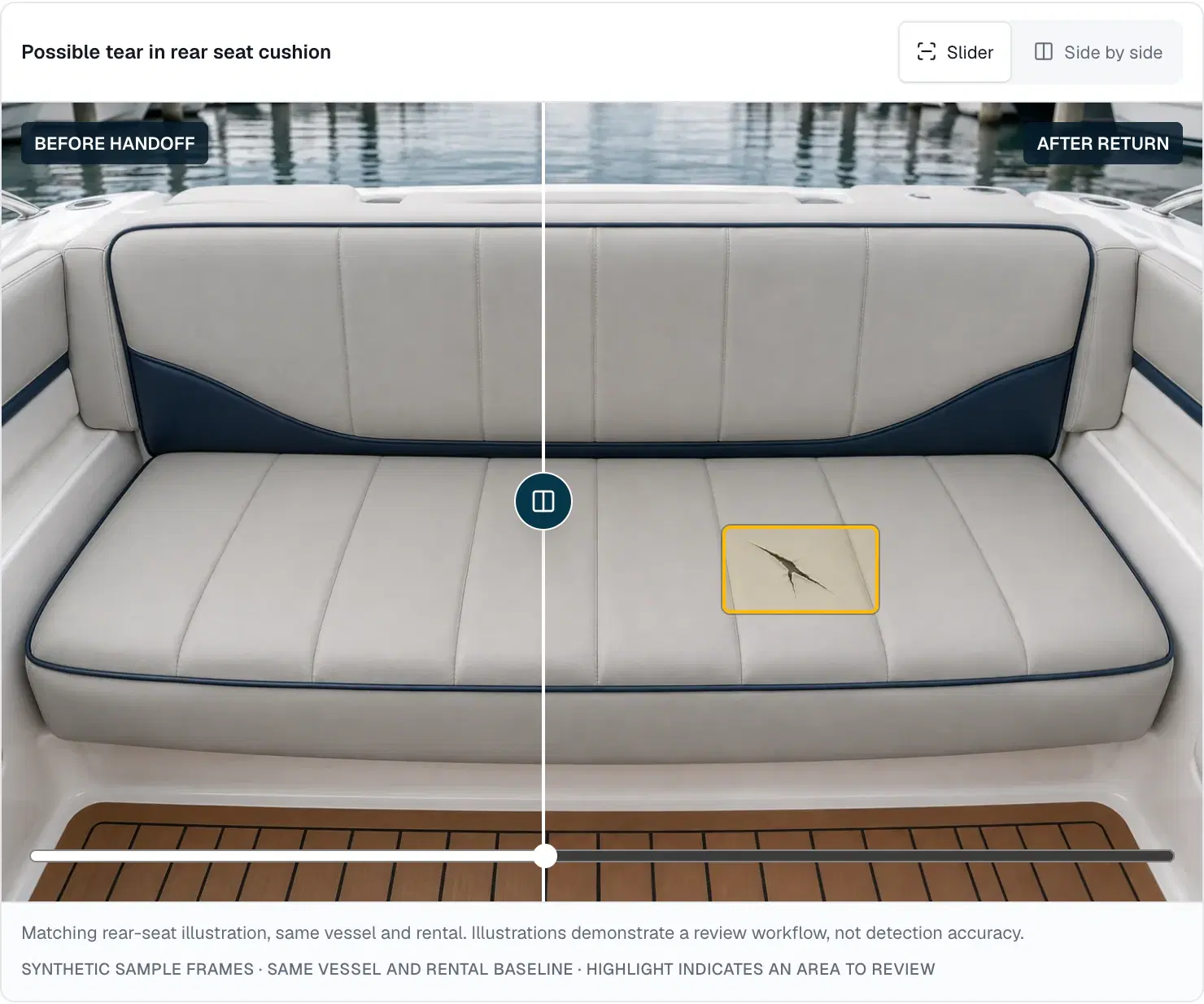
The preview brings corresponding views into one comparison instead of asking staff to remember what a surface looked like before.
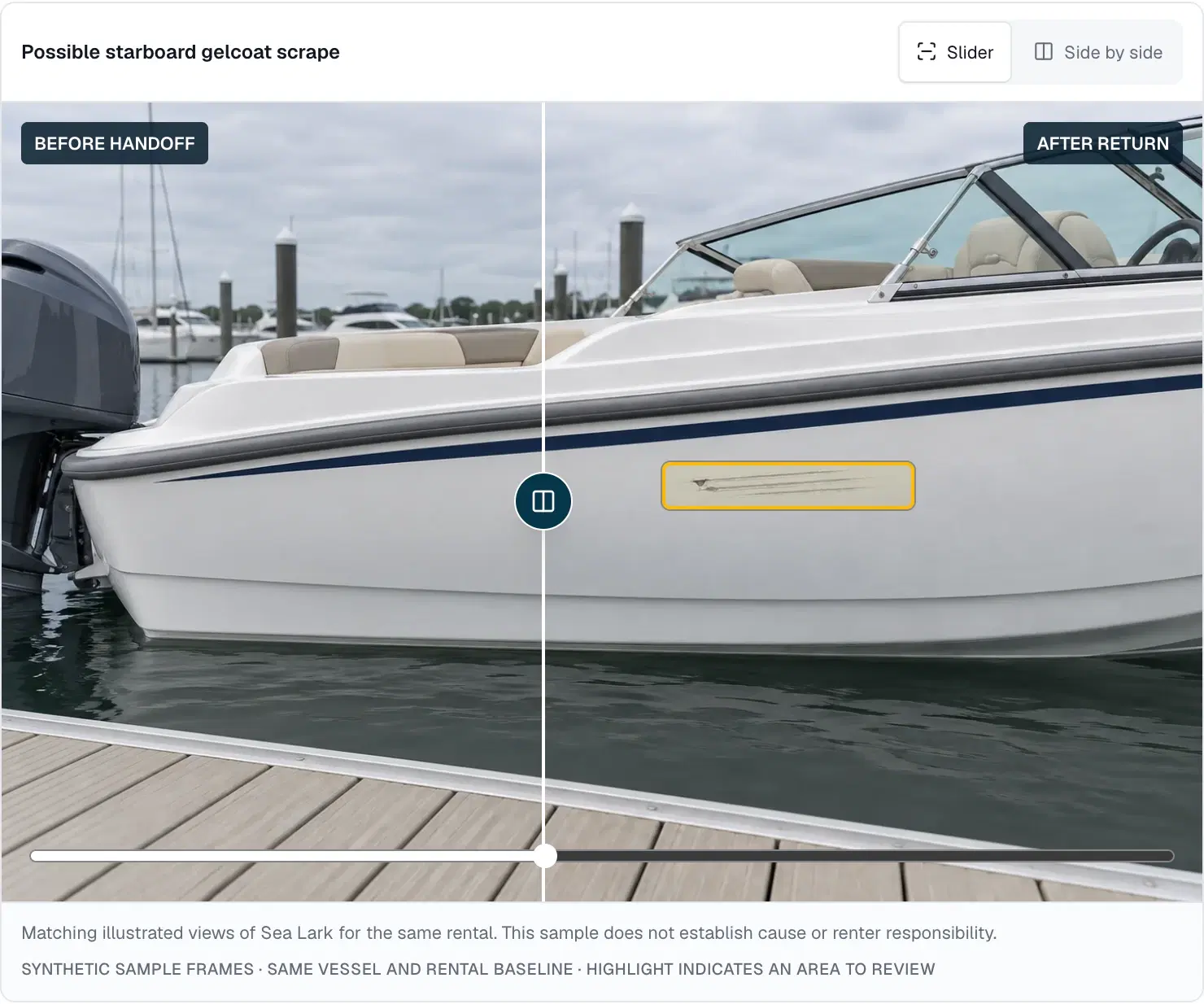
A highlighted possible change directs attention to the saved evidence. Use the slider or view both images side by side.
Keep confirmation, dismissal, a pre-existing mark or a request for evidence with the finding and its review history.
A different angle, an old rental or a missing before photo can turn a visual comparison into guesswork. The guided sample first selects the saved before evidence, then the corresponding return evidence for the exact same vessel and rental.
Watch the saved comparison sequence reveal the documented hull area and open the report automatically. Other examples show a clean return, a pre-existing mark, a dismissed reflection and missing evidence. Where a baseline is unavailable, the demo says so instead of borrowing another boat’s images.
In the seat example, a staff member can inspect the highlighted surface, compare both views and confirm the observation or ask for more evidence. An apparent change may also be pre-existing or a reflection. Those are distinct review decisions, each retained with the record.
A confirmed finding can lead to a linked maintenance issue. The workflow does not automatically charge a renter, decide fault or ground the boat. Coverage gaps and dedicated checks still matter, even when a comparison shows no new visible change.
From the screen to your operation
Use the saved before video or photo set. Its baseline belongs to the same historical rental and retains its original capture time.
Review the matching saved after evidence. A missing view is a coverage gap, not a reason to claim the boat is unchanged.
The guided replay matches supplied areas, highlights the documented changes and opens the sample report. No live inference runs.
Inspect the evidence, record your judgment and add any maintenance follow-up. Replay the preview without resetting earlier decisions.
Before you decide
What you can explore now, where the limits are, and what to discuss with the PATHR team.
No. AI Vision is a public pilot preview with saved synthetic media and pre-analyzed findings. There is no live inference, model accuracy result or general-release detection service in this demonstration.
The public demo does not accept personal uploads or camera recordings. You can choose its saved video or photo samples. Authenticated media capture, processing and evaluation on representative real footage must be developed and validated for a live pilot.
Sea Lark demonstrates a possible starboard hull scrape and rear-seat tear. Other saved examples distinguish no new visible change, a pre-existing mark, a dismissed reflection and missing coverage. These authored examples explain the workflow; they do not measure detection performance.
Real damage detection requires evaluation across lighting, reflections, angles, water, materials and vessel types. The deterministic preview cannot establish its future accuracy. Human review, useful baselines, explicit coverage gaps and dedicated physical checks remain necessary parts of the proposed workflow.
No. A saved flag is a review item. Staff must confirm an observation before creating linked maintenance, and separately decide any vessel hold. The preview does not establish renter responsibility or authorize a customer charge.
Keep the whole workflow connected
Put comparison, coverage and staff review beside the right vessel and rental.
Keep a confirmed observation connected to its repair record and vessel availability.
Plan the checks that a visual comparison cannot replace.
Illustrative case study · Simulated fleet. Separate a reported defect from a completed repair.
A closer look at your operation
Bring the situations your team handles every day. We’ll walk through the dashboard around those workflows and map the equipment, connectivity and setup for your fleet.
We confirm scope, availability and pricing with you.
How it starts
Bring PATHR to your fleet with a setup planned around your boats, equipment and team.
What we review together
Your operating day
Focus the walkthrough on your boats, handovers and the work that slows your team down.
Equipment compatibility
NMEA 2000 is supported today. Bring your equipment list so we can confirm the connections and readings available for each boat. Additional systems are reviewed individually.
Connectivity review
Field units upload over Wi-Fi today. Cellular-equipped units are planned; we agree coverage and reporting expectations for your operation.
Dashboard workflows
Explore the chart, alerts, manually entered bookings, maintenance and dispatch. The public dashboard uses simulated data; we confirm the workflows available for your deployment.
A practical rollout plan
Agree the boats, supported workflows, equipment and onboarding for your rollout. We plan timing and pricing with you so your team knows how to get started.